
Open a page on your website and read the tab at the top of your browser. Those words are the page’s title, the same text that names a bookmark. Google uses them as one source for the clickable headline it puts on each search result, which Google calls the title link. If Google detects a problem on the page, it may write its own headline from other text there.
The stakes, in Google’s words: the title link is “often the primary piece of information people use to decide which result to click.” Google says it writes title links automatically and can’t change one by hand for any site.
Google wants a descriptive, concise title on each page and singles out “Home” as too vague. For a business, its guide for beginners suggests the title “could include the name of your website or business, other bits of important information like the physical location of the business, and maybe some information about what the particular page has to offer for users.”
Google’s help page warns against these, among others:
- A title that tells a reader nothing, such as “Home,” or one with a piece missing.
- One title copied across many pages, which Google says makes it “impossible for users to distinguish between two pages.”
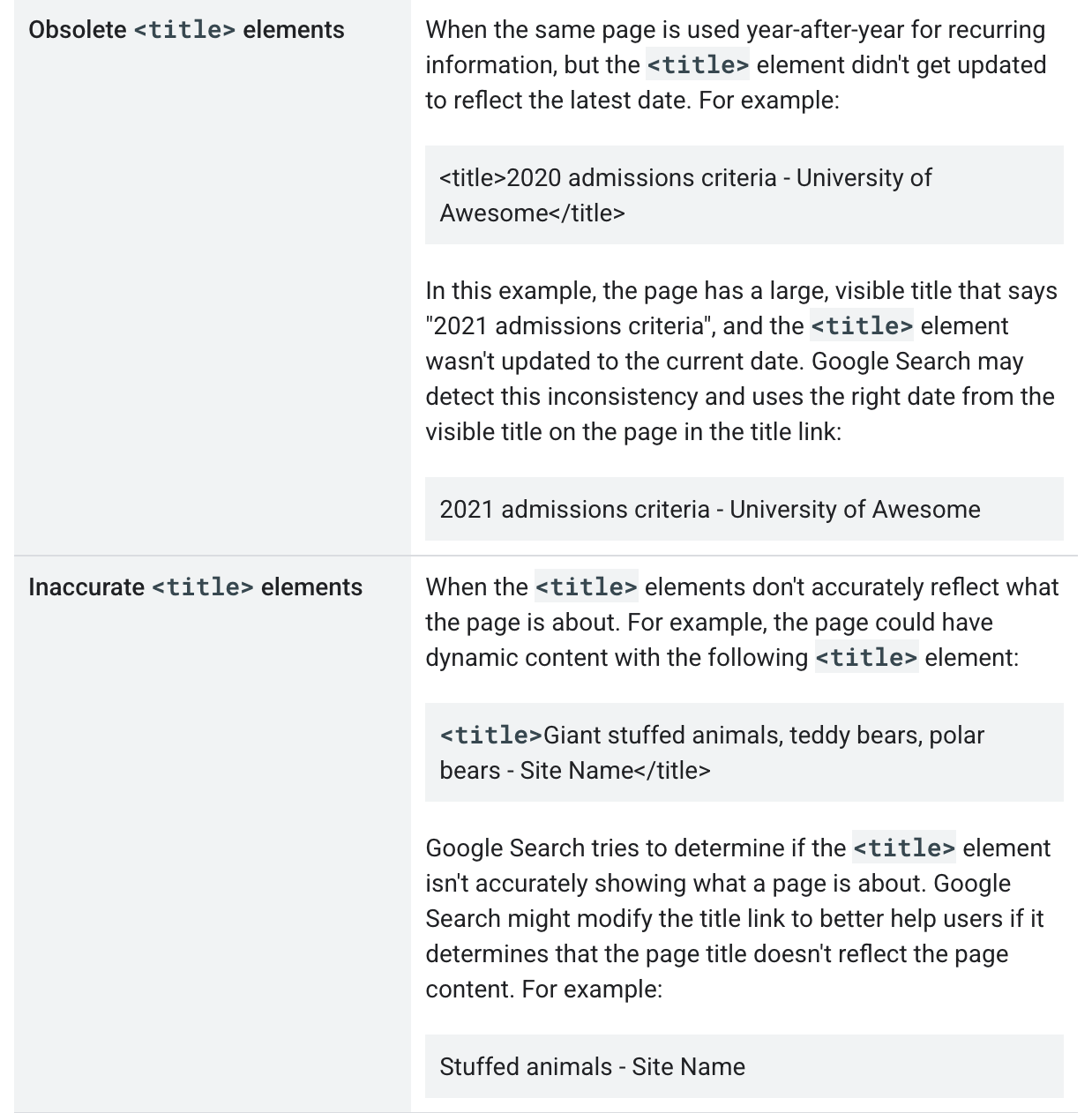
- An old year still sitting in the title, or a title that no longer describes the page.
- Words repeated to fill space. Google calls it keyword stuffing, cramming search terms onto a page, and warns it can look spammy to Google and to readers alike.
The common mistake is the local version of that last one: a title listing every nearby town. Google’s spam rules cover the text on a page in general, not titles in particular. But they name blocks of city and region names a page hopes to rank for as one example of keyword stuffing. Google warns that sites breaking those rules may rank lower or vanish from results.
Our advice, which is ours and not Google’s: lead with what the page offers. Add Farmington where it applies. Close with the business name after a hyphen, colon or pipe (|); Google accepts the name at the front or the back. One town is enough. Give every page a title of its own. Make the largest heading on each page agree with it, because headings are among the text Google turns to when it replaces a title. Don’t count characters. Google sets no length limit and simply shortens the headline as needed, typically to fit the screen.
How to fix it. Your part is choosing the words and checking the tabs once it’s done. Putting them in means changing the site’s settings. Google says most site builders can turn the title you write into the page title automatically. So many owners can type it in themselves. Anyone who can’t should hand it to the person who runs the site.
Changes aren’t instant. Google has to visit and read the page again, which it says may take a few days to a few weeks. Search Console, Google’s free tool for site owners and the subject of No. 19, is where you can ask for that visit. Google adds that asking doesn’t guarantee the page lands in results soon, or ever.
The line for your web person: These are the titles I want on our main pages. Please enter them, and make the top heading on each page say the same thing.
The Standard: Give each page a title that tells a stranger what it offers, where, and who you are. If it is out of date, half-empty or doesn’t match the page, Google may write its own.
Source: Google Search Central, “Influencing Title Links in Google Search,” “SEO Starter Guide: The Basics,” “Spam Policies for Google Web Search,” “How to Write Meta Descriptions” and “Ask Google to Recrawl Your Website,” read Sept. 25, 2026.
This coverage is supported by Farmington Storage, 155 Scott Swamp Road, the only storage facility in Connecticut with Museum air. A good page title says what’s inside. So does a well-labeled box. 860.777.4001 📦
Jack Beckett has covered Farmington long enough to have written a few headlines he would like back. He is on his second coffee and rereading this one. ☕
The Farmington Mercury covers the town: Town Council and the land use boards, the police log, the schools, elections, and the businesses in Farmington and Unionville. Our motto is “Always last to breaking news,” and nobody has ever accused us of breaking it. Find us at farmingtonmercury.com and tell a neighbor. 📰