A Google listing can carry a link to the business’s website. The owner types in the address, and Google’s guidelines set the limits on what it can be.
The site should be one that “represents your individual business location,” so a business with two locations gives each listing a site that stands for that location. What Google rules out is a link that sends people away from the business itself. Its guidelines bar “URLs that redirect or ‘refer’ users to landing pages or phone numbers other than those of the actual business, including pages created on social media sites.”
Links for appointments or online orders, available to some types of business, are governed by their own Google policy and are a separate matter.
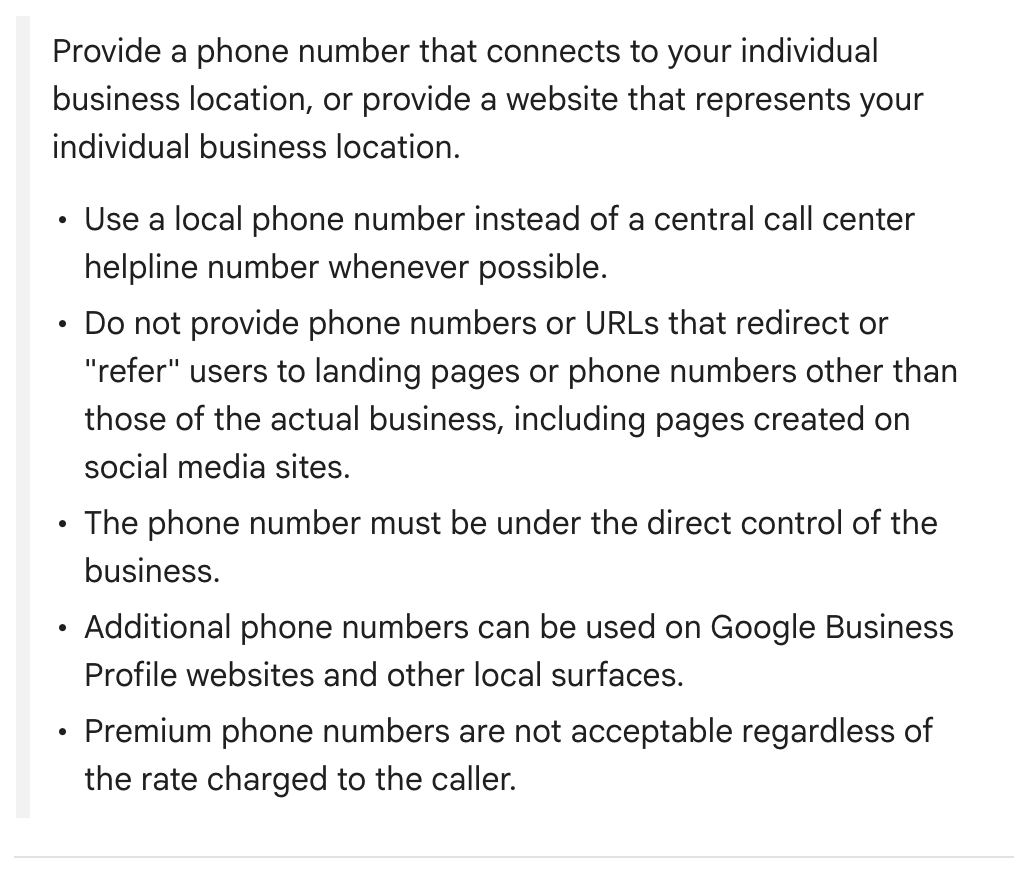
Only a Facebook page? Google asks for a phone number connected to your location or a website that stands for it; either one meets the rule. Separately, and only in select regions, Google gives profiles a Social profiles entry, reached through Edit profile, then Contact, with room for one link per platform, Facebook among them.
Our advice: without a site of your own, leave the website entry blank and keep the phone number current, because the redirect rule specifically mentions social media pages. Where Social profiles appears, the Facebook link belongs there.
What’s at stake. Google puts the website rule in its guidelines for representing a business, and says a listing that violates those guidelines “becomes disabled or suspended.”
How to fix it. Signed in to the profile’s Google account, search Google for “my business” or the business name and city, or tap Business in the Google Maps app. Choose Edit profile, find the Website entry and enter the complete address, including http:// or https://, then Save. Google checks every edit before it shows. No owner or manager access? See No. 1 of this series.
A two-minute check. Look up your business on Google and tap through to the website. Anything other than your own page for that location needs changing.
The Standard: Behind the website link: a site that represents that one location, with no detour to someone else’s page.
Source: Google Business Profile Help, “Guidelines for representing your business on Google,” “Edit your Business Profile,” “Manage your social media links,” “Business links policies & guidelines” and “Find your business on Google,” read Sept. 24, 2026.