Google gives each business one passage of its own writing on a listing, shown under the heading “From the business.” It is the owner’s account of the place, and Google spells out what may go in it.
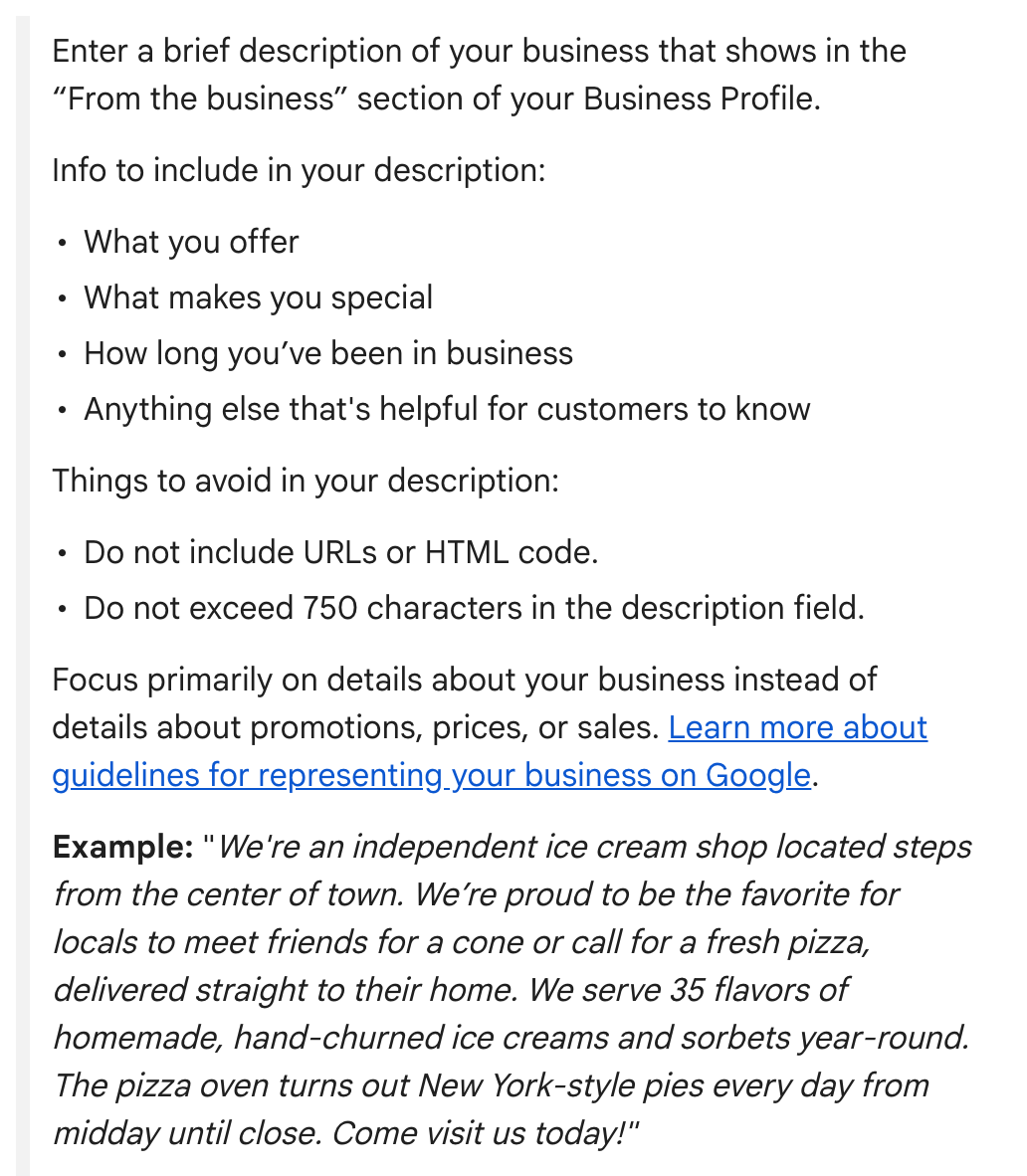
Google’s help page suggests covering:
- What you offer
- What makes you special
- How long you’ve been in business
- Anything else that’s helpful for customers to know
Google’s guidelines add the mission and history of the business to that list. Two firm limits apply: no more than 750 characters, and no web addresses or links of any sort.
The example Google offers is an ice cream shop. Its most useful sentence tells a customer something they can act on: “We serve 35 flavors of homemade, hand-churned ice creams and sorbets year-round.”
What’s at stake. Google checks each edit before it goes live. The description falls under its guidelines for representing a business, and a profile that violates them “becomes disabled or suspended.”
The mistake to avoid. Writing this week’s deal into the description. Google wants the text focused on the business rather than on promotions, prices or sales, and it lists “Everything on sale, -50%” and “Best bagels in town for $5!” as copy it does not allow.
Services and goods have separate tools. In some categories, service businesses among them, Edit services lets you list what you do, with a price and description for each. A local store with physical goods can add them through Edit products. Restaurants keep menu items and their prices in the menu editor, which Google offers to food and drink businesses only, with limited availability.
How to fix it. Signed in to the profile’s Google account, search Google for “my business” or the business name and city, or tap Business in the Google Maps app. Choose Edit profile, make the changes and choose Save. No access to the listing? Start with No. 1.
A two-minute check. Count the characters, then read the description aloud. Anything that sounds like an ad for a sale belongs somewhere else.
The Standard: Facts about your business in 750 characters or fewer. Deals stay out, and prices go in the services, products or menu editor wherever Google offers one.
Source: Google Business Profile Help, “Edit your Business Profile,” “Guidelines for representing your business on Google,” “Manage your services on your Business Profile,” “About product editor” and “Find your business on Google,” read Sept. 24, 2026.